
Adding design and detail
Software and accessories for cabinet shops looking to distinguish their work from the competition
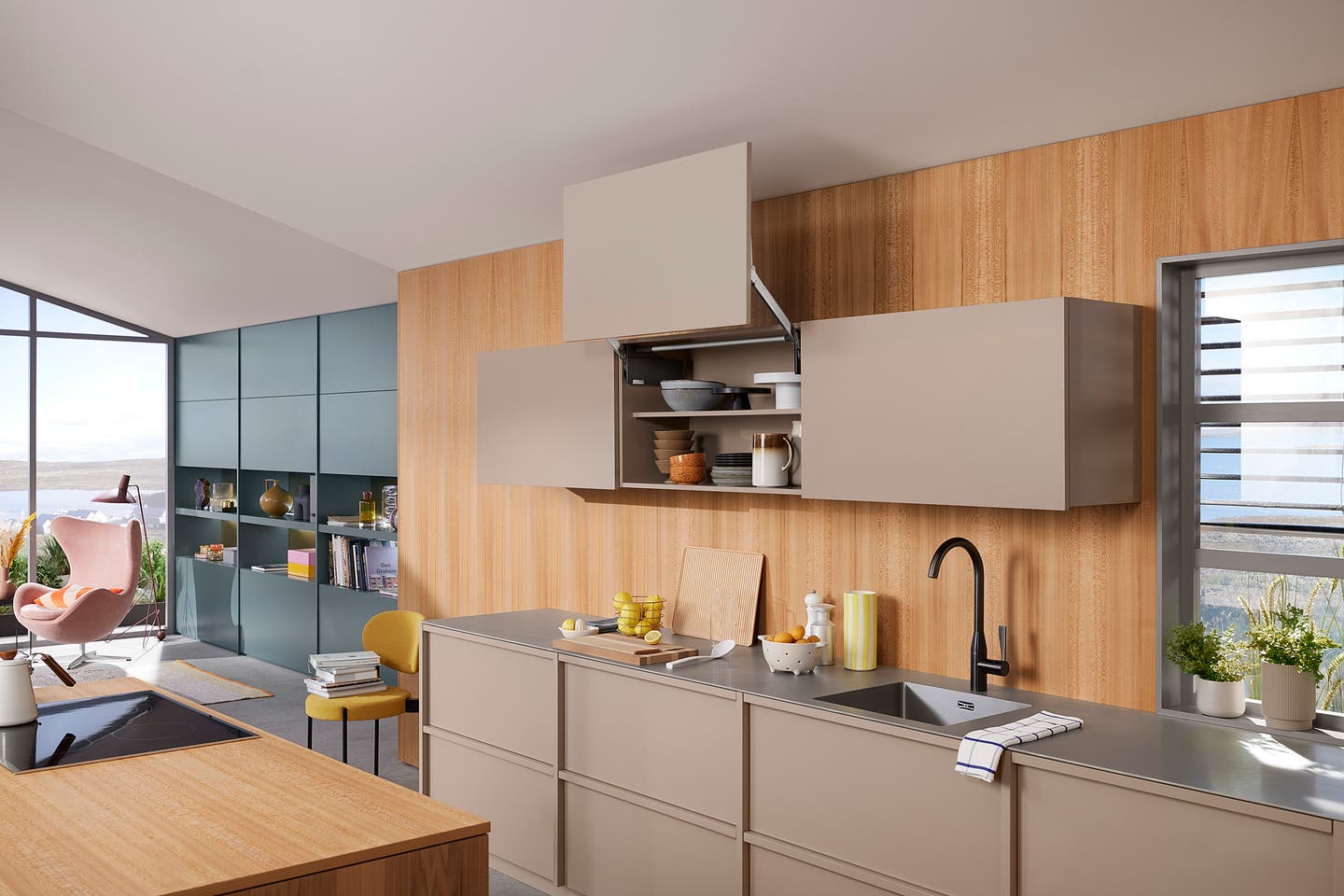
Just as there’s a fundamental difference between building a house and creating a home, there’s a corresponding relationship between building boxes and creating cabinetry. Designers at the big box stores essentially fit cubes and rectangles together to fill a specific void. Custom cabinet shops, on the other hand, can design and build unique solutions that often resemble furniture more than casework. Moldings, curves, profiles, contrasting species, ingenious hardware and imaginative geometry are just some of the elements that can transform a bunch of boxes into a custom kitchen. But it’s more than that. A perfectly conceived and crafted room underscores the old adage that the whole is more than the sum of its parts. The perfect job combines function, form, technology, style, taste, and materials in a way that doesn’t just delight, but also comforts.
Creative CAD
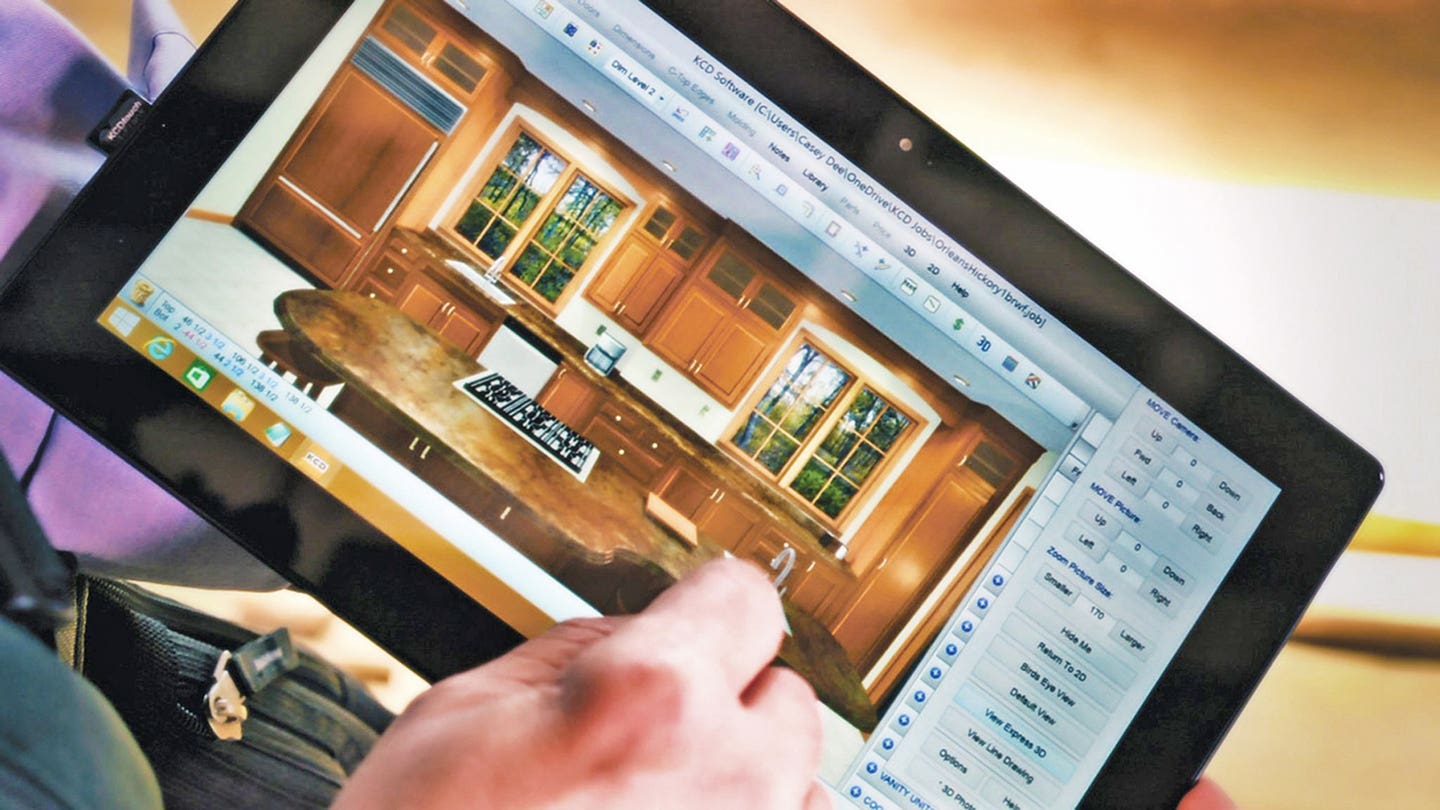
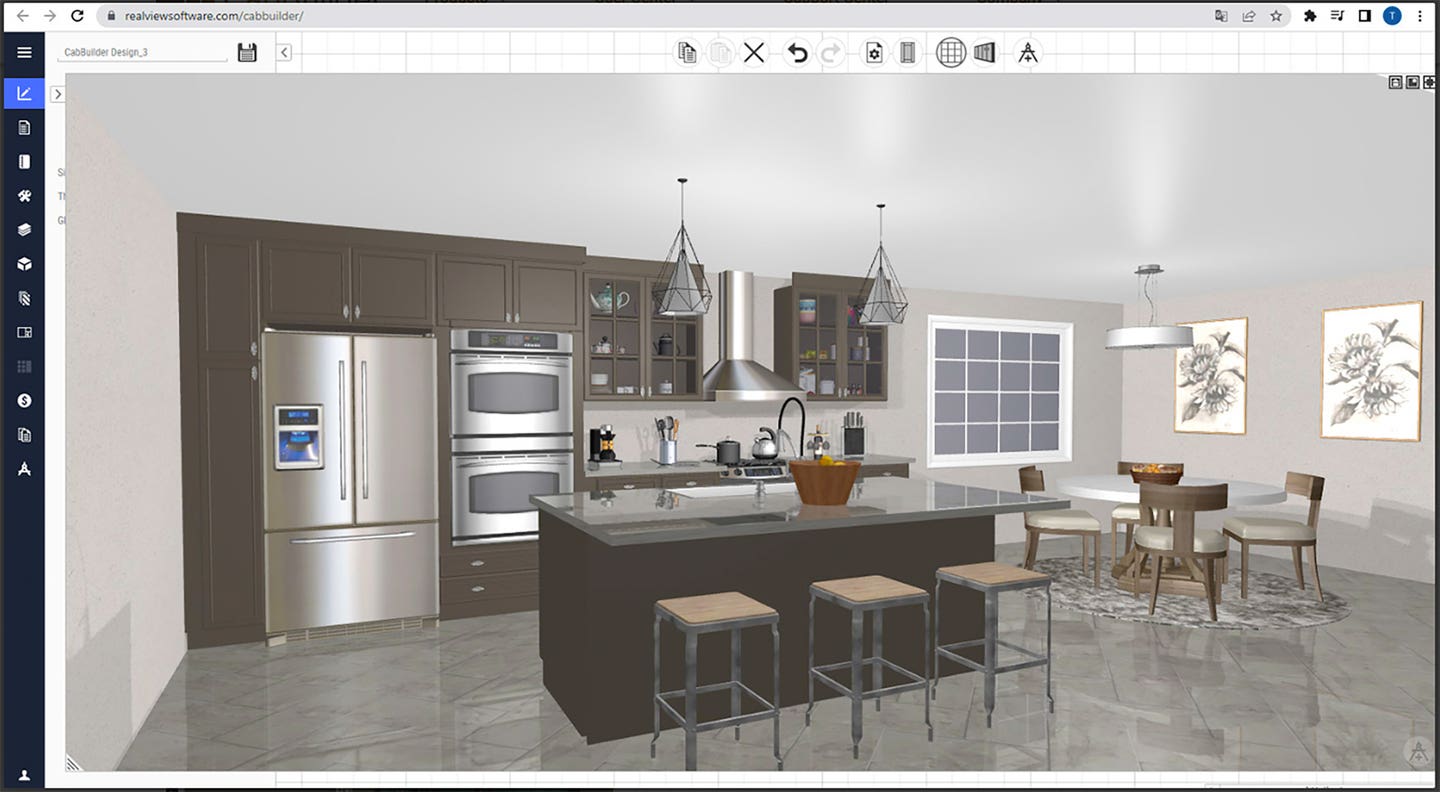
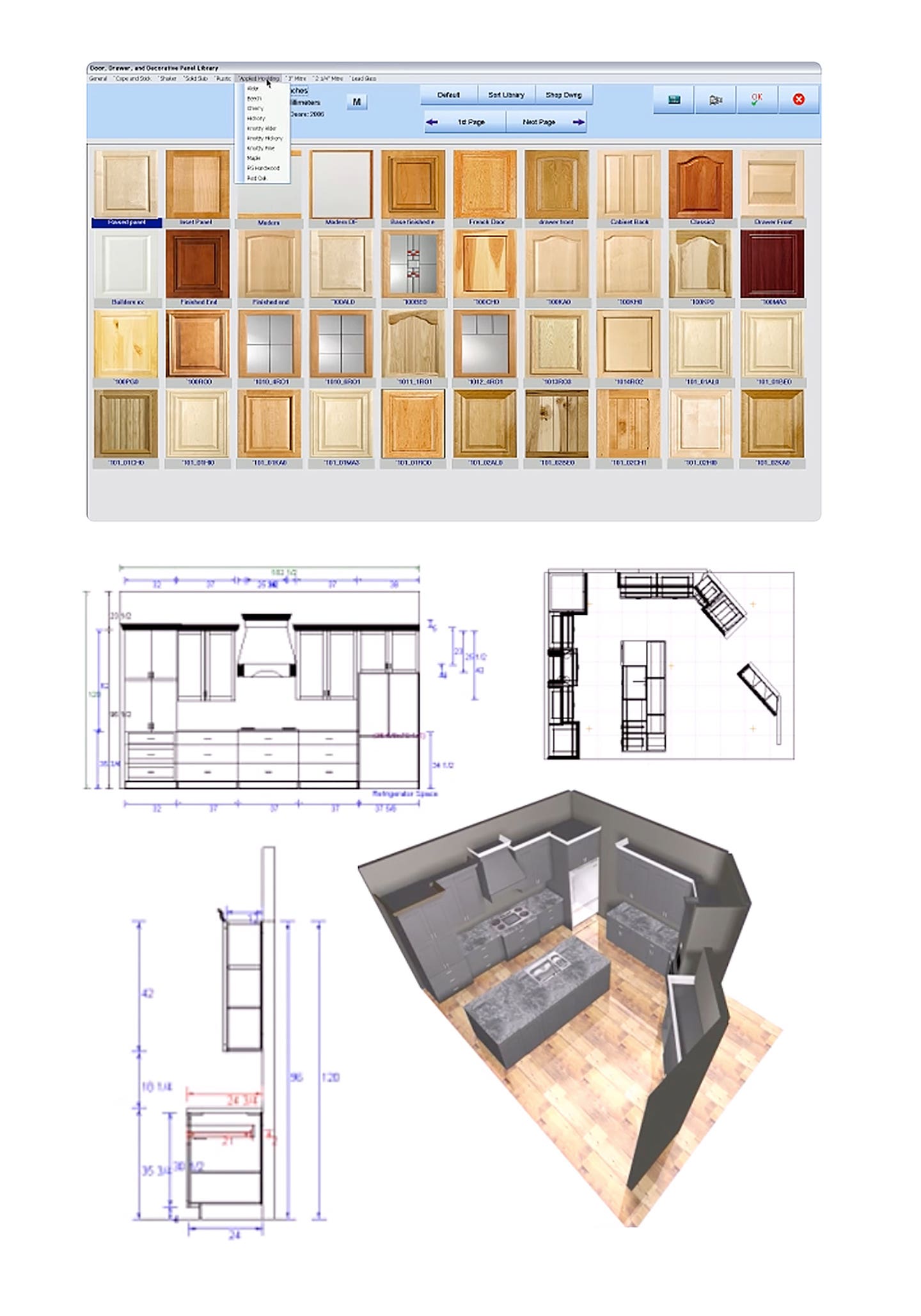
Whether a shop already uses one of the leading CAD programs, or is shopping for one, the ability to incorporate design details from vendor libraries is something worth considering. Being able to select items from an online catalog and just drop them into a drawing has made it a lot easier to add visual or functional embellishment to a project. Hardware and accent libraries are available for most CAD programs and are constantly updated, so the choices keep expanding.
Libraries are a cooperative effort between the publishers of the design software and the manufacturers of the physical hardware. For example, KCD Software (kcdsoftware.com) has integrated a library of products from TAG Hardware, which distributes through Häfele America. TAG is a source for high quality closet hardware, organizers, and other accessories that are based on European trends. It’s both a designer and product developer, in addition to being a manufacturer. So, the hardware products are thematic. That is, the hardware and accessories come in six coordinated metal finishes, two fabric accents, and three faux-leather tones. A woodworker using KCD software can use these products in designs and then share 3D drawings with their clients. When the job is ready to be built, the software lets the woodshop produce a shopping list of products for the job, complete with item numbers. This saves time, ensures that no item is missed, and also lets designers stay on top of design trends. KCD offers this kind of integration with powder-coated doors from Integra, moldings and carvings from White River, casework from Cabinotch, and more.
Microvellum offers a pre-loaded library of hardware from Blum, Hettich, Kesseböhmer, Accuride, Richelieu, Peka, Grass, and Häfele. Because you’re using the manufacturer’s drawings, there’s compatibility from the design phase all the way through to final production, reducing the risk of errors and the need for reworking. The libraries don’t just include decorative hardware (pulls and knobs), but also functional hardware and all kinds of accents. For example, Microvellum provides a comprehensive look at joinery options and connectors on its website, microvellum.com, where a woodworker can see screenshots of various construction methods. What’s particularly helpful is that these images of hidden hardware are intended more for woodworkers than clients, so they really clarify how things go together. The drawer and door options let a shop adjust details such as reveals, gaps, insets, or overlays – but they also show design details for elements such as grain direction or glass inserts. Those might include the required depths and widths of channels or muntin rails to match various glass thicknesses, or illustrations showing how different grain directions would look on elements such as drawer stacks. That can be quite handy when the shop has purchased a series of sheet stock in a single flitch that gives it the option to go horizontal, vertical, or diagonal. Seeing results before they happen can help us make more informed design and detail decisions.
CAD programs are constantly updating to accommodate new design options, which is especially true for the spate of LED choices that has arrived over the past few years. For example, the construction options in the latest release of CabBuilder (cabbuildersoftware.com) allow for additional processing on a CNC for dadoes or grooves on the top or bottom of shelves for the inclusion of LED strip lights. It’s a simple notion, but oh so handy, and most programs now offer clever ways to add LEDs.
Mozaik’s pre-loaded Product Libraries (mozaiksoftware.com) contain all the essential cabinets one needs to start designing, but once the basic plan is in place the cabinetmaker can then customize these libraries to add, modify, or remove products or assemblies as needed. Mozaik’s libraries also include extensive collections of appliances, cabinet accessories, graphic items, plumbing and electrical fixtures, windows, doors and more. And all of these design details can be shown to a client in the program’s 3D Viewer. Mozaik also comes pre-loaded with industry-leading drawer guides and metal drawer box systems, hinges, pulls, accessories and more. The suite’s Pricing Module can automatically generate accurate bids based on the hardware, drawers, cabinets, and other materials that the shop has imported. It can track multiple markup options to separate costs from marked-up retail prices, and input other numbers such as labor estimates, machining time, and even lineal or area calculations. And it will figure out things such as sales tax or balances due.
Cabinet Pro (cabinetpro.com) also offers CNC design software, but for woodshops that don’t own a CNC it has room design and door-making packages that let the woodworker create unique in-house libraries. The basic software will customize cut lists and support all kinds of drawer boxes, including horseshoe shapes and other options. It lets a traditional woodworker create frameless and face frame cabinets within the same job, and even change all the doors to another style by just clicking a few keys. And it includes the ability to create 3D images for clients.
Whatever software a shop is using for CAD, it’s worth visiting the publisher’s website and searching for libraries that can be imported. And many of the larger outsourcing suppliers who provide doors, cabinets, molding and accessories will also be able to supply graphic files for their products or incorporate them in drawings and photo-realistic renderings that a woodshop can then use to close a sale.
What can be added
So, what’s in all of these third-party libraries? How does a woodworker access them, and do you have to have CAD?
One of the surprises here is that soon woodshops might not need in-house CAD to integrate Blum (blum.com) products. Blum will introduce its new Cabinet Configurator this year, designed to let woodworkers plan entire cabinets – complete with Blum hardware – right in a web browser. Blum already offers an interactive tool called the Product Configurator, which helps a woodshop find the right hardware for cabinet designs on a PC, tablet, or smartphone without the installation of any extra software or updates. A designer can currently find the parts lists, CAD data and planning information for any configuration, and then manage several jobs in “My projects”. They can then use the “My library” feature to create templates. The existing Product Configurator includes several ways to add design upgrades and details to a job, including hinges, slides, motion technologies, and complete drawer systems. And the upcoming Cabinet Configurator promises a lot more.
For shops that do use CAD, hardware files are usually downloadable as either DWG or STEP files that the CAD program can open. Finding files to use and even manipulate is relatively easy. The Grass website (grassusa.com) is typical. A woodworker can go to the site, click on a folder for Nova Pro Scala drawers, and then open folders for different drawer dimensions. Within those are various finish choices (Stone, Ice, Silver, etc.), and when one of those folders is clicked it contains importable files in STEP and DWG formats. Once downloaded, these can be manipulated in 2D or 3D in almost any CAD program.
Adding complete drawer systems, with their clean looks and hidden hardware, can enhance and modernize a kitchen design. It can also speed throughput in a woodshop because buying parts and assembling a pre-manufactured drawer system mechanically can be a whole lot faster than machining wooden dovetail drawer parts, assembling them in-house with glue and clamps, and then sanding and coating the boxes.
Some suppliers offer a huge range of design and detail upgrades that don’t always appear in CAD-friendly drawings but can still elevate a job beyond the ordinary. The catalog from Häfele America (hafele.com) is a good example. It includes thousands of parts including decorative hardware, closet fittings, media and storage systems, office hardware, furniture parts and more. There’s everything from legs and casters to drawer systems, slides, locks, and connectors. Some of the design elements are both functional and decorative: among Häfele’s newest kitchen solutions is a Kesseböhmer waste bin pull-out that has two bins and is bottom mounted (the slides are below the bins). It comes with champagne, chrome or silver hardware, and champagne, white or gray bins, and an optional nudge opening system. Other new additions to the catalog include a new pull-out paper roll dispenser that lets a customer hide paper towels behind a cabinet door, and several new Loox5 strips of LED lights.
Design begins with casework and doors, and outsourcing suppliers are always updating there, too. The Catalina design from Hardware Resources (hardwareresources.com) is a full-overlay Shaker door style with a five-piece drawer front. The newest finish being offered is a water-based Sandstone stain with a UV-coated natural birch interior. As with all of the NorthPoint Cabinetry in the Hardware Resources catalog, it’s solid wood construction with a simple dovetail assembly method.
Accents and accessories
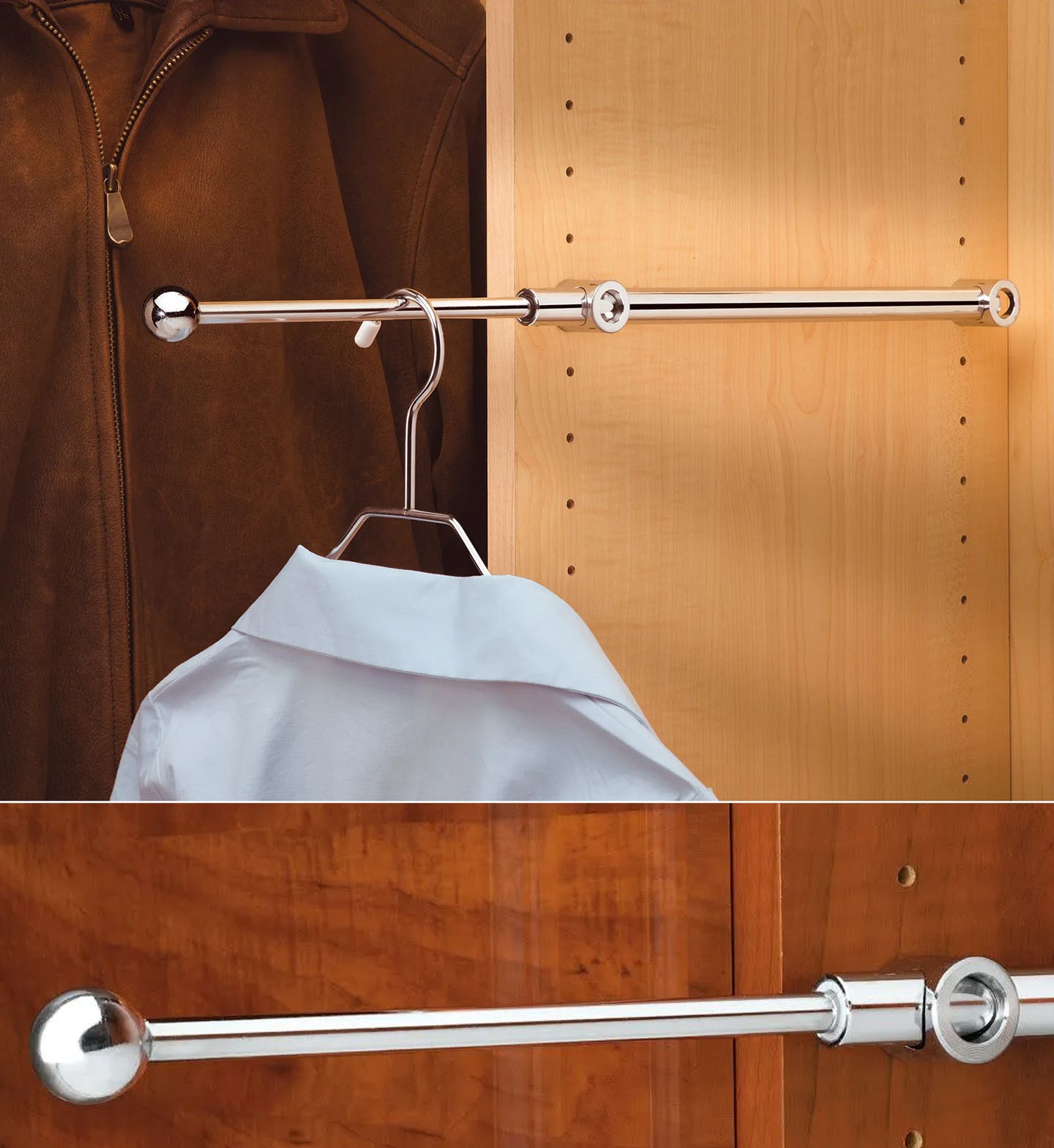
One of the easiest ways to add design details is to fill empty spaces with useful or intelligent add-ons. It’s a simple idea, but the new Valet Rods from Rev-A-Shelf (rev-a-shelf.com) can be really handy when a customer is dressing. They slide out 6" and hold clothes on hangers to avoid having to rummage for the right garment, and then they just pop back in so the closet door can be closed. Included is a chrome rod and the mounting hardware, and the removable knob can be replaced if a designer has a theme going.
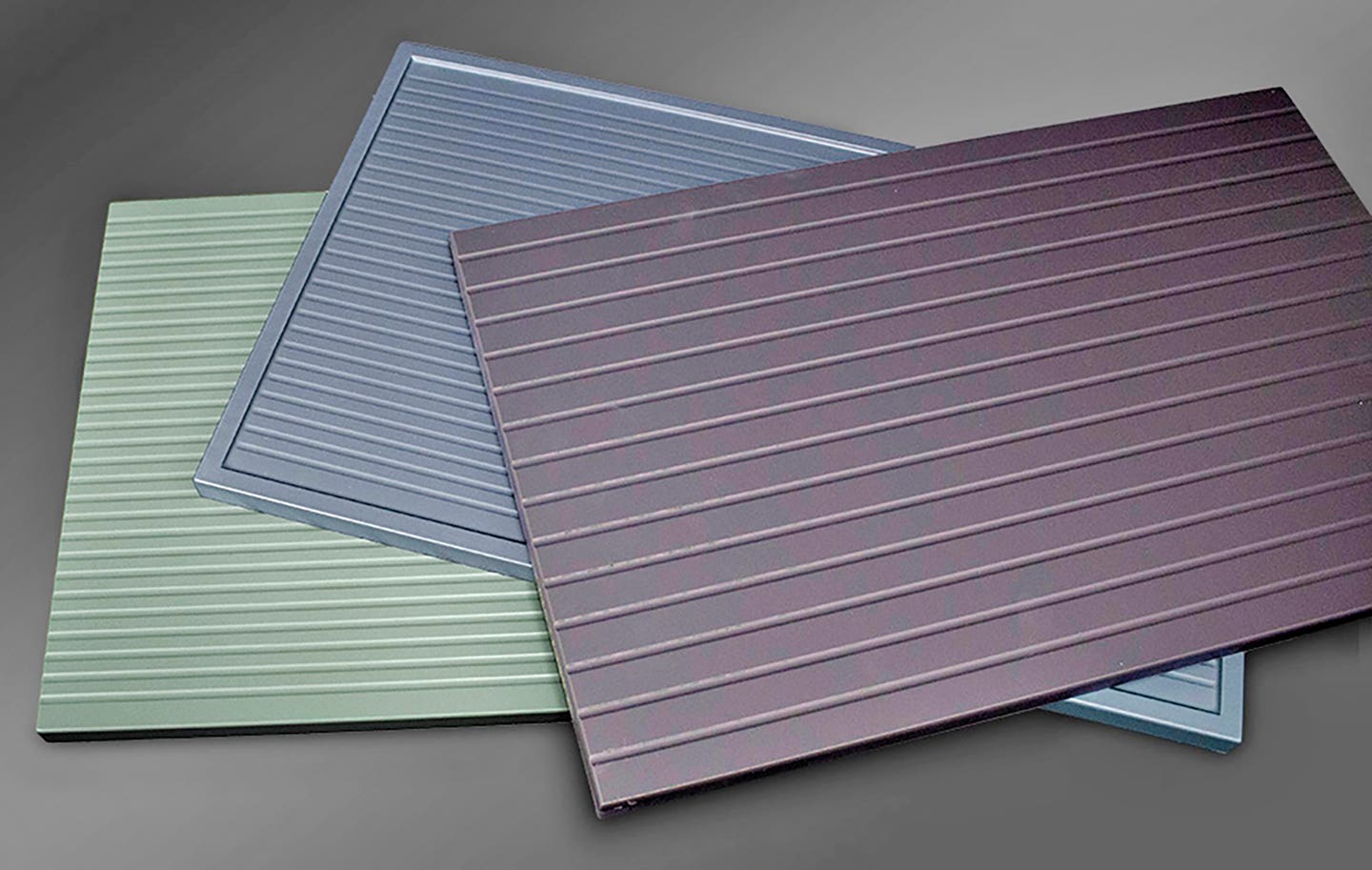
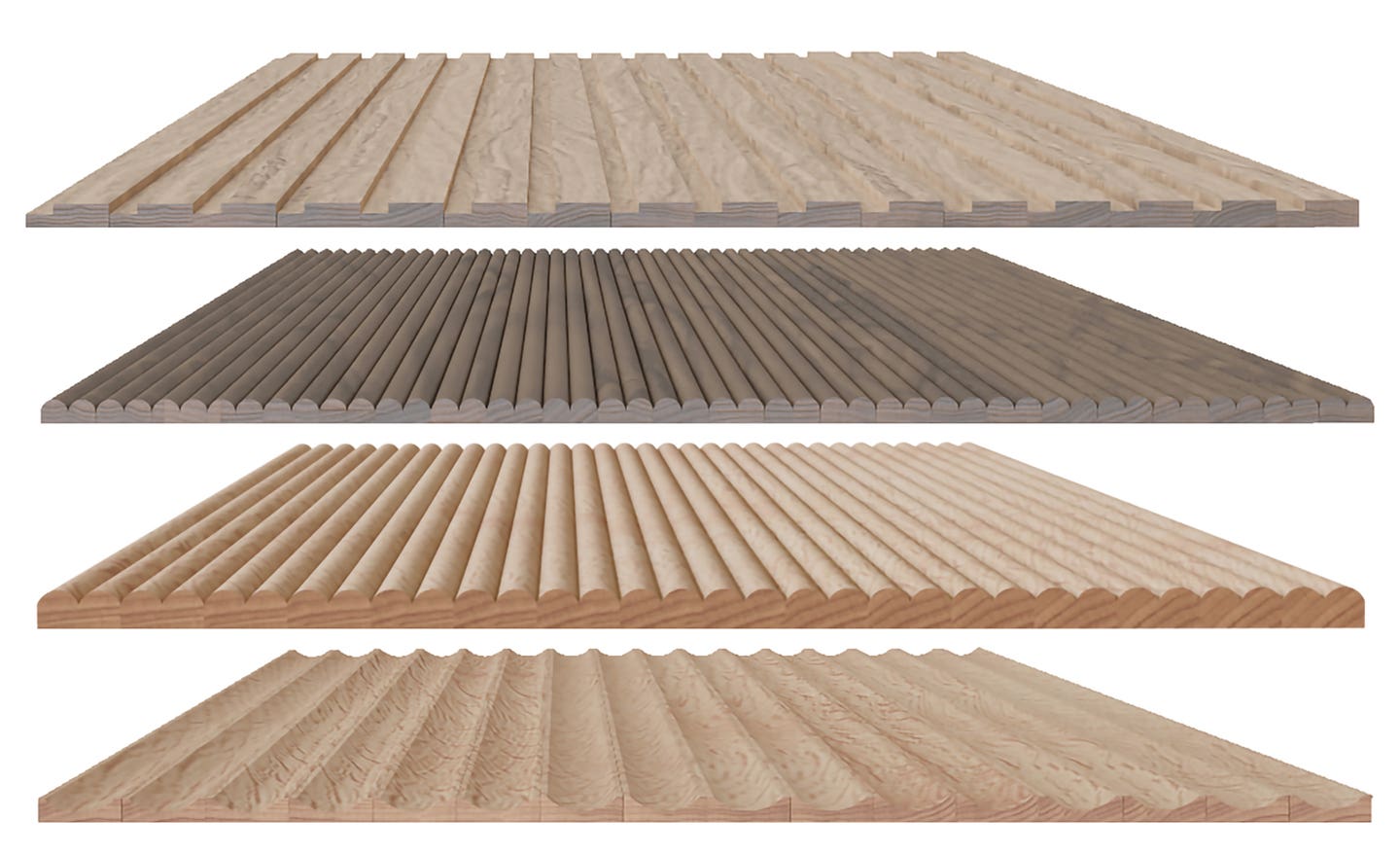

Designs of Distinction by Brown Wood Inc. (brownwoodinc.com/dod) has a new take on tambour – inflexible panels. The solid boards come in 24" widths in four styles: 1/2" square (#304), 1/4" bead (#100), 3/8" bead (#107), and 5/8" cove (#403). DOD also offers flexible tambour for applications such as curved cabinet doors and roll-top desks.
A new series of vertically fluted, grooved RTF (rigid thermofoil, which is a vinyl surface bonded to a MDF core) doors from Elias Woodwork & Mfg. (eliaswoodwork.com) combines minimalism with texture in a thoughtful way. The company says that the doors have “a sleek, modern aesthetic and subtle texture”, and that “the vertical grooves add a sophisticated, upscale touch without looking overly traditional.”
New from Osborne Wood Products (osbornewood.com) is a collection of solid wood bar brackets in varying heights from 8" to 12” and in a variety of species such as soft maple, red oak, knotty pine and cherry, but also in premium species including alder, black walnut, hard maple, hickory, mahogany and white oak. Osborne offers CAD drawings for many of its products, including these brackets.
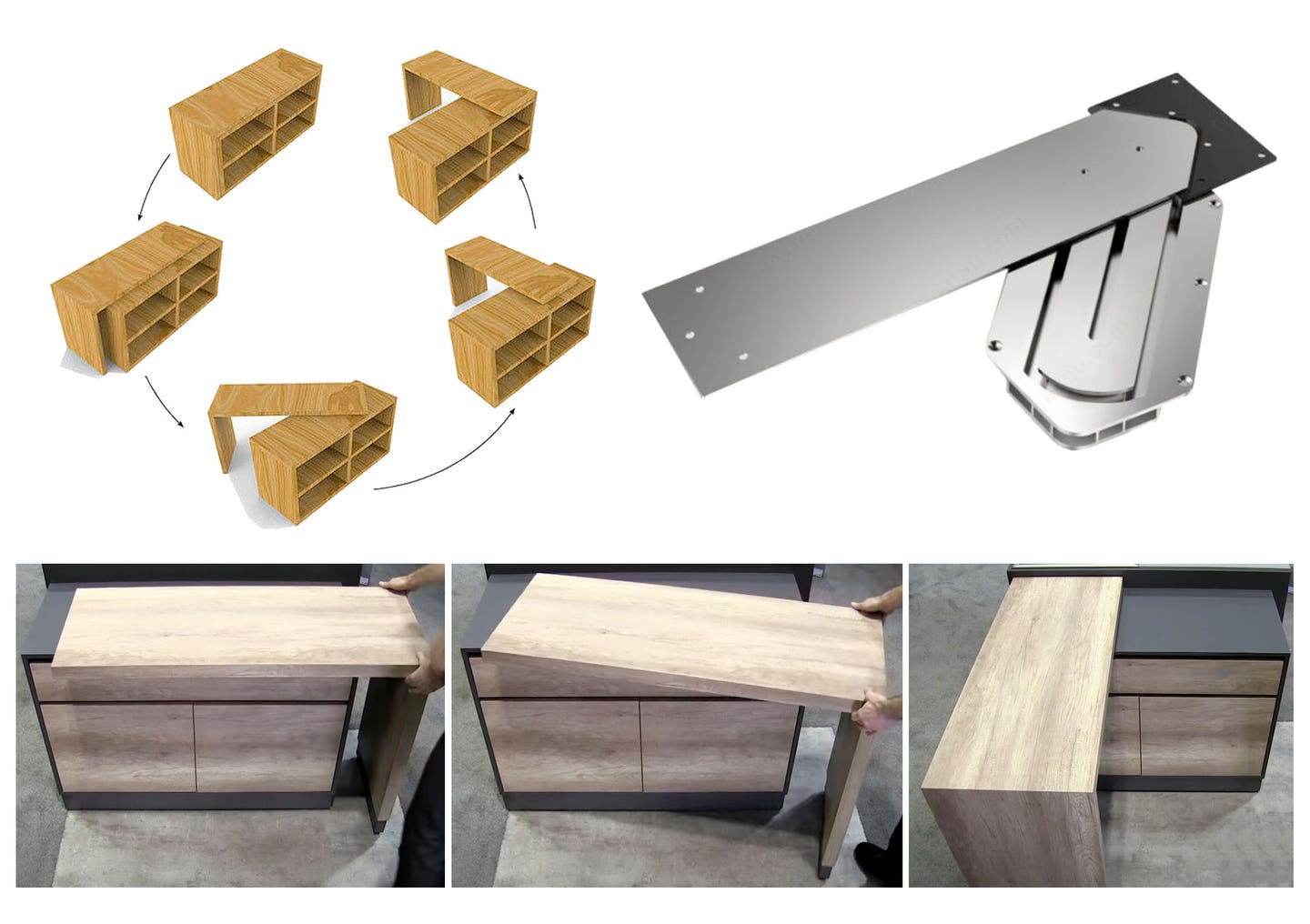
A clever piece of hardware from Richelieu (richelieu.com) can open up small spaces for big activities. It’s called the Eclipse table rotation mechanism (item 65407010), and it allows a temporary bench top or workspace to rotate horizontally to create more counter space while being supported by a single leg. When you’re done, simply rotate it back and it’s stowed away.
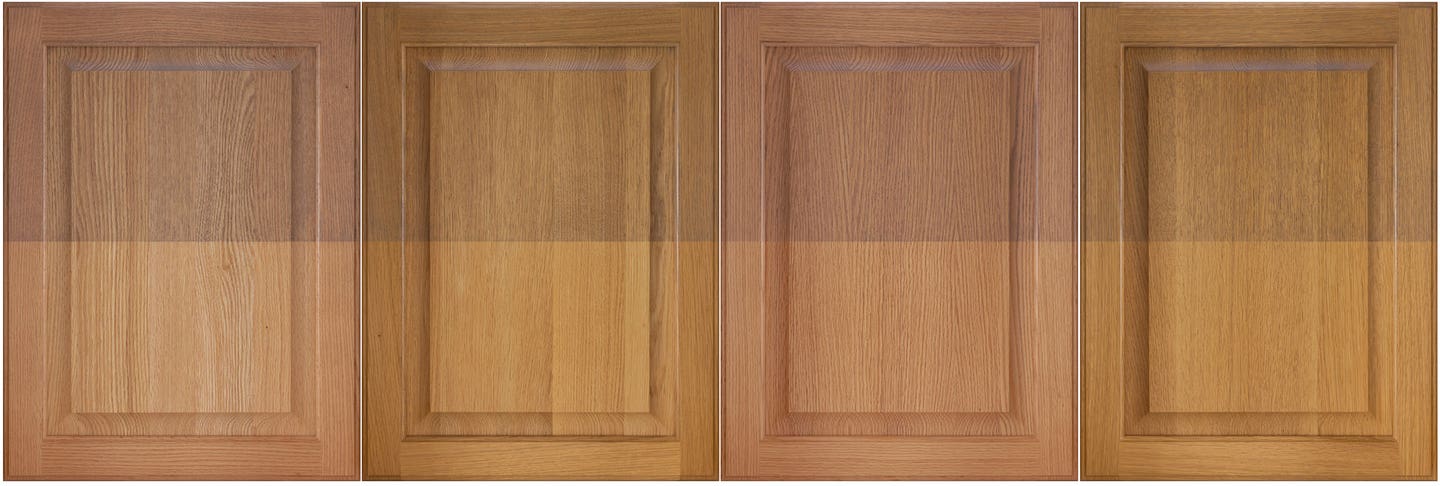
The core design quality in natural wood casework is the door species. Given the current shortage of white oak for quartersawn panels, WalzCraft (walzcraft.com) has come up with an innovative alternative – riftsawn red oak. It promotes sustainable logging by optimizing the use of available resources.
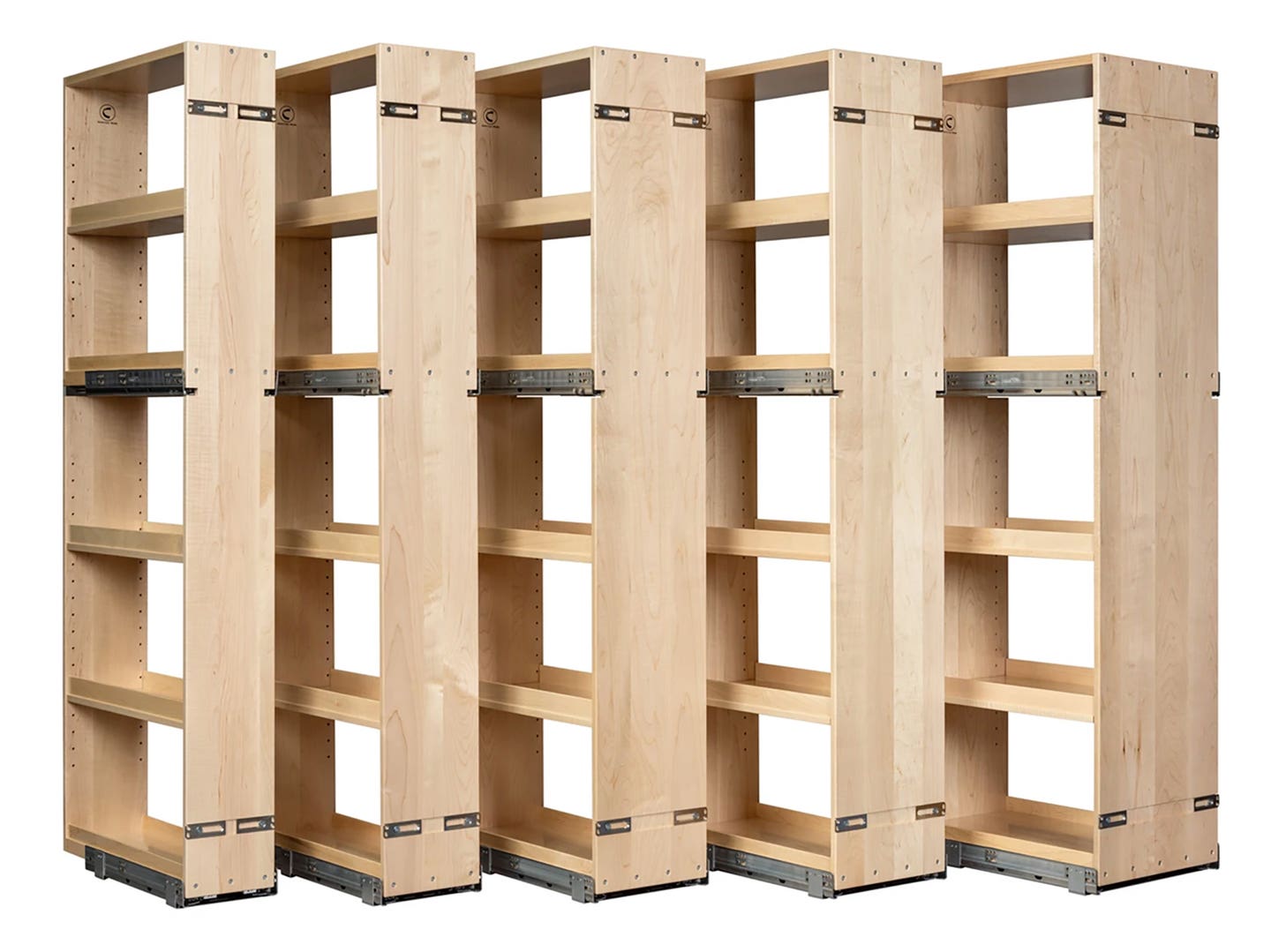
A new family of tall pantry organizers from Century Components (centurymade.com) offers simple installation with two sets of Blum Movento slides. Features include maple blocking for the upper slides, more than 4"of additional storage over center mounted slide models, and a choice of either solid maple or plywood veneer.
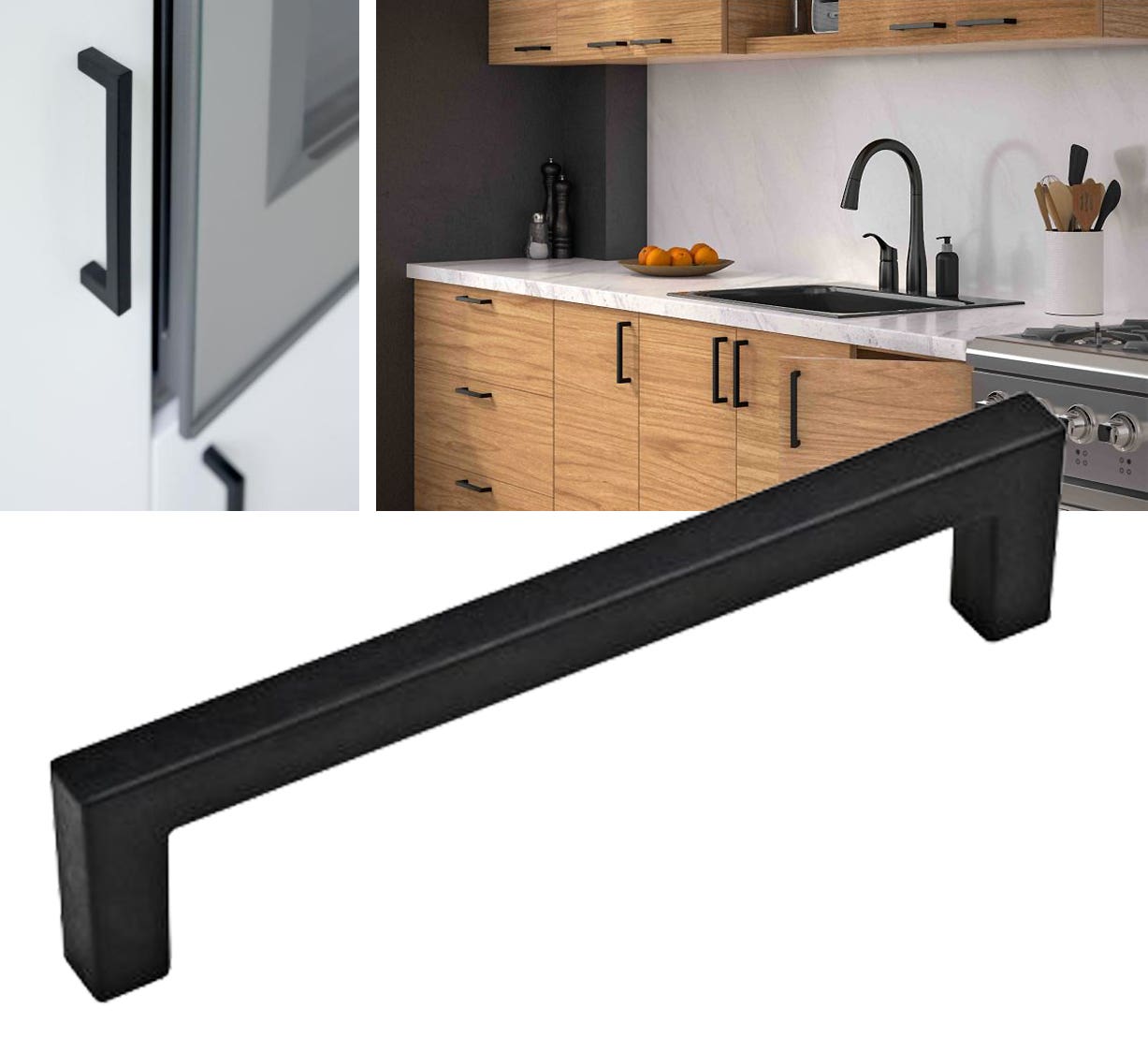
Doug Mockett & Co. (mockett.com) has added an eco-friendly alternative to stainless steel hardware called the Oceanix Plastic Pull. These bar-style pulls are made entirely of OceanIX, a material that’s composed of post-use and obsolete plastics collected from the maritime industry, such as fishing nets, ropes, and trawls.
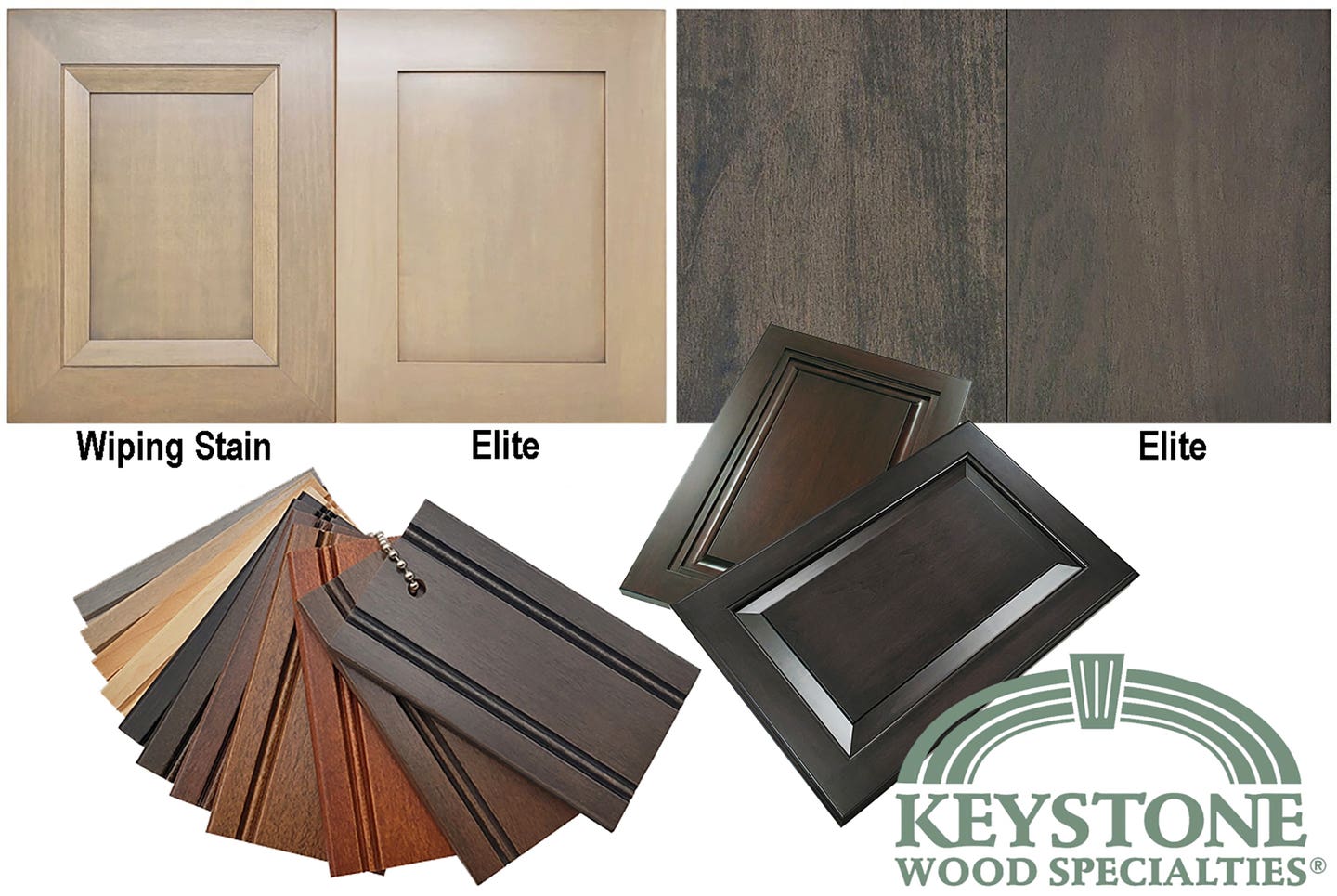
Keystone Wood Specialties (keystonewood.com) recently launched its new Elite staining process for maple components. The exclusive two-step process greatly reduces blotchy, uneven tones that can often occur when staining tight grain wood species like maple, especially when using darker colors. The new process delivers a smooth, more even tone on each cabinetry component and a consistent color appearance across an entire maple order.
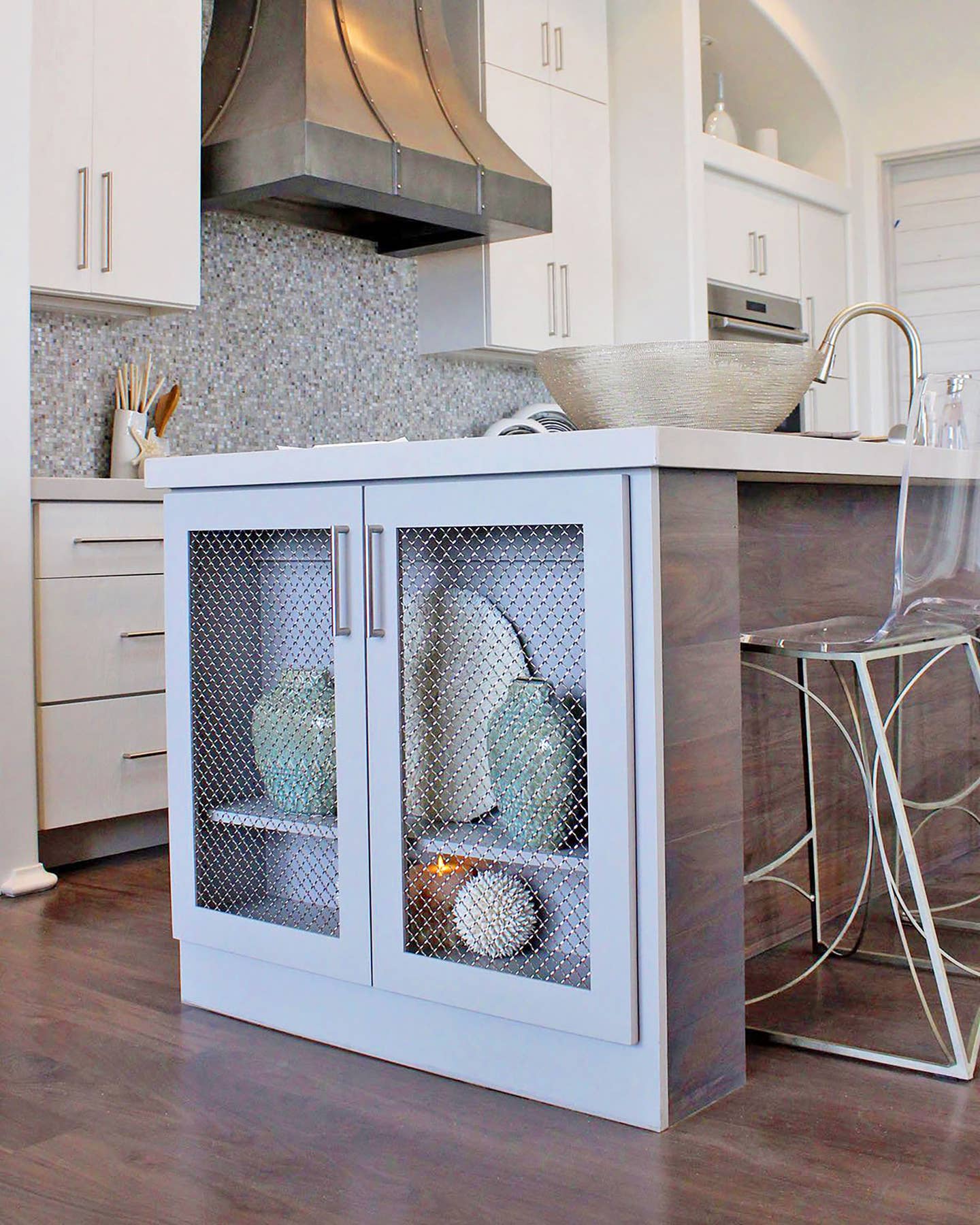
Woven wire grills are a wonderful way to deliver the feel of open shelves with the protection of doors. There’s a very informative article on their use in the Outwater Plastics Industries’ blog (outwater.net), titled “Ten Woven Wire Grilles to Inspire Your Next Cabinet Project”.
The key to great design is to listen to clients, offer them options that reflect their taste, pepper that with suggestions harvested from an awareness of current trends, and then listen some more to their opinions. The magic of custom casework is that a woodshop can cater to individual preferences in ways that big box stores can’t. Cabinetmakers can provide personal design details such as maybe using lumber harvested from a family farm or lowering counters a couple of inches to accommodate a client’s height or disability. That kind of customization covers lighting too, as this is becoming increasingly important in lived-in spaces. New smart controls and LEDs are making it more and more affordable to deliver the perfect mix of task and ambient light, and to have lights turn on and off in ways that save energy but still fully serve the homeowner or office worker. So, this may be a good time to culture a relationship with a lighting consultant, as the technology is moving very quickly.
Originally published in the February 2025 issue of Woodshop News.